


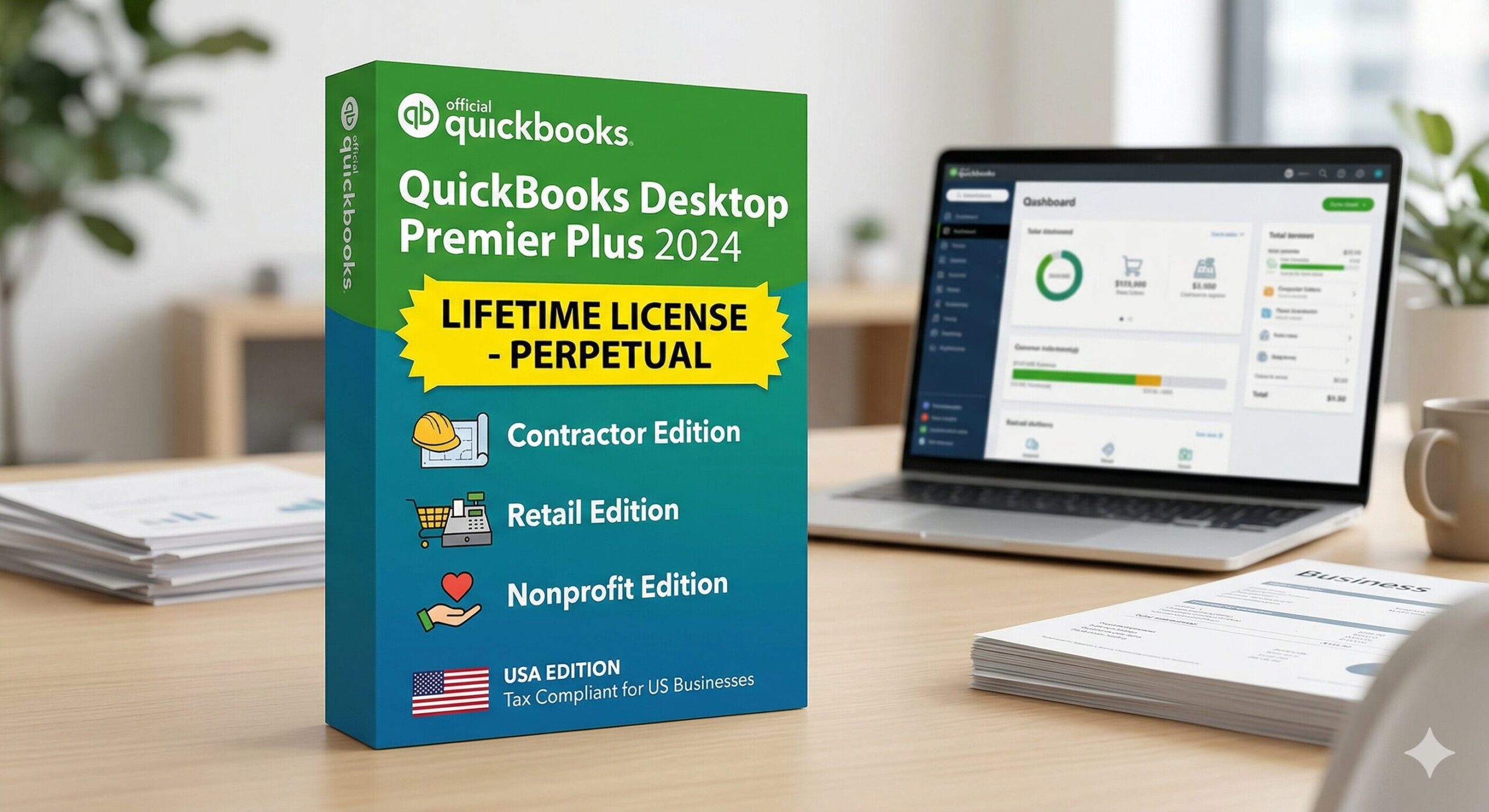
Not every business is the same — and neither is their accounting software. While QuickBooks Pro Plus handles everyday accounting, QuickBooks Desktop Premier Plus 2024 goes one level deeper with industry-specific tools built for contractors, retailers, nonprofits, manufacturing companies, and professional service firms.
With Intuit pushing hard toward subscription-only models and discontinuing older desktop versions, the demand for a one-time lifetime license has never been higher. This guide breaks down everything you need to know about QuickBooks Desktop Premier Plus 2024, who it is built for, and how to get it without paying annual subscription fees.
What Makes Premier Plus 2024 Different from Pro Plus?
QuickBooks Desktop Premier Plus 2024 includes everything in Pro Plus and then layers on powerful industry-specific features. Here is what you get above and beyond Pro Plus:
- 5 industry-specific editions in one license: General Business, Contractor, Retail, Nonprofit, and Manufacturing & Wholesale
- Sales Order management — create sales orders before converting to invoices (not available in Pro Plus)
- Forecast vs Actual reporting — compare budget projections to real financial performance
- Business Plan tool — built-in financial projections and business planning module
- Job costing with deeper reporting — track materials, labor, and overhead per job
- Up to 5 simultaneous users (vs 3 maximum in Pro Plus)
💡 If your business deals with inventory, sales orders, project-based billing, or has industry-specific reporting needs, Premier Plus is the right tier.
Industry Editions Included in QuickBooks Premier Plus 2024
🏗 Contractor Edition
Built for general contractors, subcontractors, construction companies, electricians, plumbers, and landscapers. The Contractor Edition includes:
- Job costing with cost-to-complete projections
- AIA billing format support for progress billing
- Subcontractor management and 1099 tracking
- Work-in-progress (WIP) reporting
- Equipment and materials cost tracking per job
⚠️ This is one of the most searched QuickBooks editions in the US — contractors have been looking for an alternative since Intuit discontinued the standalone Contractor Edition 2019 and forced users into subscriptions.
🛒 Retail Edition
Designed for brick-and-mortar retailers and e-commerce businesses that need tight inventory control:
- Point-of-sale integration for tracking retail transactions
- Inventory management with reorder points and purchase orders
- Sales by product, department, and season reporting
- Customer pricing tiers and discount management
🤝 Nonprofit Edition
Purpose-built for 501(c)(3) organizations, charities, churches, and HOAs that need fund accounting and donor management:
- Fund-based accounting and budgeting by program or grant
- Form 990 preparation support
- Donor contribution tracking and acknowledgment letters
- Board-ready financial statements using nonprofit terminology
🏭 Manufacturing and Wholesale Edition
For businesses that build or assemble products before selling them:
- Bill of materials (BOM) tracking for production runs
- Inventory assembly and work order management
- Cost of goods sold (COGS) tracking per product line
- Backorder management and sales order fulfillment
Premier Plus 2024 vs Pro Plus: Which Should You Choose?
QuickBooks Premier Plus 2024 Pricing at WindowsKeyShop
3-Year Savings vs Intuit Subscription
Intuit charges $799/year = $2,397 over 3 years | WindowsKeyShop: $199.50 one-time
You save over $2,197 with a lifetime license
Why Contractors Are Searching for QuickBooks Premier Plus in 2024
Since Intuit discontinued the standalone QuickBooks Desktop Premier Contractor Edition 2019 from new sales, US contractors have been scrambling to find a replacement that does not involve a subscription model. Many searches for quickbooks premier contractor edition 2019 reflect contractors still running aging software who need a modern upgrade without signing up for a monthly plan.
QuickBooks Desktop Premier Plus 2024 fills that gap exactly. It includes all the contractor-specific features of the old dedicated edition, now bundled into a single license that also covers retail, nonprofit, and manufacturing — giving you flexibility as your business evolves.
How to Switch Between Industry Editions After Installation
All 5 industry editions are included in a single license — no need to buy separate software. Here is how to switch editions:
- 1Install QuickBooks Desktop Premier Plus 2024 using your license key and official download link.
- 2Open QuickBooks and go to Edit > Preferences > General.
- 3Select your industry from the dropdown: Contractor, Retail, Nonprofit, Manufacturing & Wholesale, or General Business.
- 4Restart QuickBooks — the interface, reports, and tools will reconfigure for your chosen industry.
Frequently Asked Questions
The Smart Upgrade for Industry-Specific US Businesses
Whether you are a contractor in Texas, a nonprofit in Ohio, or a manufacturer in Michigan — one license covers all your needs.
🛒 Starting at $199.50 · All 5 Industry Editions · 30-Day Money-Back
Buy QuickBooks Premier Plus 2024 Lifetime →
✓ Genuine Intuit License ✓ Delivery in 1–6 Hours ✓ 30-Day Money-Back ✓ Free Support