


QuickBooks manufacturing and wholesale requirements should be matched to verified features, not a product name alone. Intuit officially documents Enterprise workflows such as assemblies, inventory tracking, sales orders, and advanced inventory options; a third-party Premier Plus 2024 listing is not the same entitlement. Verify the exact license, subscription status, users, support eligibility, activation ownership, and company-file migration path in writing.
Start with the QuickBooks manufacturing product reality
Manufacturers and wholesalers often search for “QuickBooks Premier Manufacturing & Wholesale 2024” because older QuickBooks Desktop Premier releases offered industry-specific editions. That search history does not prove that every current Premier Plus 2024 listing includes a transferable Manufacturing & Wholesale entitlement. Product name, release year, edition, license channel, user count, subscription term, registration ownership, and service eligibility are separate facts.
Intuit’s current public product pages position QuickBooks Desktop Enterprise as the Desktop product for new sales and explicitly describe a Manufacturing & Wholesale industry solution. Intuit also states that it stopped selling new US subscriptions for Desktop Pro Plus, Premier Plus, Mac Plus, and Enhanced Payroll after September 30, 2024. Existing subscribers may be able to renew, but that is not the same as a new buyer purchasing an unrestricted perpetual copy from a third party.
This distinction should drive the buying process. If a store page says “Premier Plus 2024,” ask the seller to identify the exact Intuit product and entitlement before treating it as the historical Manufacturing & Wholesale edition. Do not infer authenticity, authorization, ownership, support, or a lifetime term from a screenshot, a successful installation, or the words “activation key.” Intuit’s own guidance warns buyers about non-subscription or “lifetime” versions of Desktop Pro, Premier, and Mac.
A listing can install successfully and still fail to provide the subscription, account ownership, connected services, renewal rights, or publisher support a business expects. Obtain the precise license and entitlement terms in writing before moving a live accounting file.
Which QuickBooks manufacturing direction fits the operation?
| Business requirement | Direction to evaluate | Evidence to request |
|---|---|---|
| Basic purchasing, invoicing, item lists, and simple on-hand quantities | A supported small-business accounting product may be sufficient | Supported product, inventory method, user limit, integrations, and migration test |
| Assembly items, bills of materials, build transactions, sales orders, and manufacturing reports | Evaluate the officially documented Enterprise Manufacturing & Wholesale solution | Current Intuit feature page, plan level, subscription quotation, and test company |
| Multiple locations, barcode workflows, lot or serial tracking, and stronger inventory controls | Evaluate Enterprise plans and any required Advanced Inventory entitlement | Exact plan, add-on availability, hardware requirements, implementation scope, and ongoing fees |
| MRP, shop-floor scheduling, routings, capacity planning, quality control, or detailed landed cost | Compare a manufacturing ERP or a verified QuickBooks integration | Documented integration, synchronization rules, support ownership, audit trail, and recovery plan |
| A third-party Premier Plus 2024 offer | Treat it as an unverified listing until the exact entitlement is documented | Intuit account ownership, subscription term, edition, users, registration, renewal, support, and written refund remedy |
The right answer is not automatically the product with the longest feature list. A distributor that buys finished goods and ships them may need purchasing, inventory, pricing, sales orders, and fulfillment but no assembly workflow. A manufacturer that consumes components and builds finished items needs a traceable bill-of-materials process. A regulated plant may need controls that QuickBooks alone does not provide. Map the process first, then test the software against it.
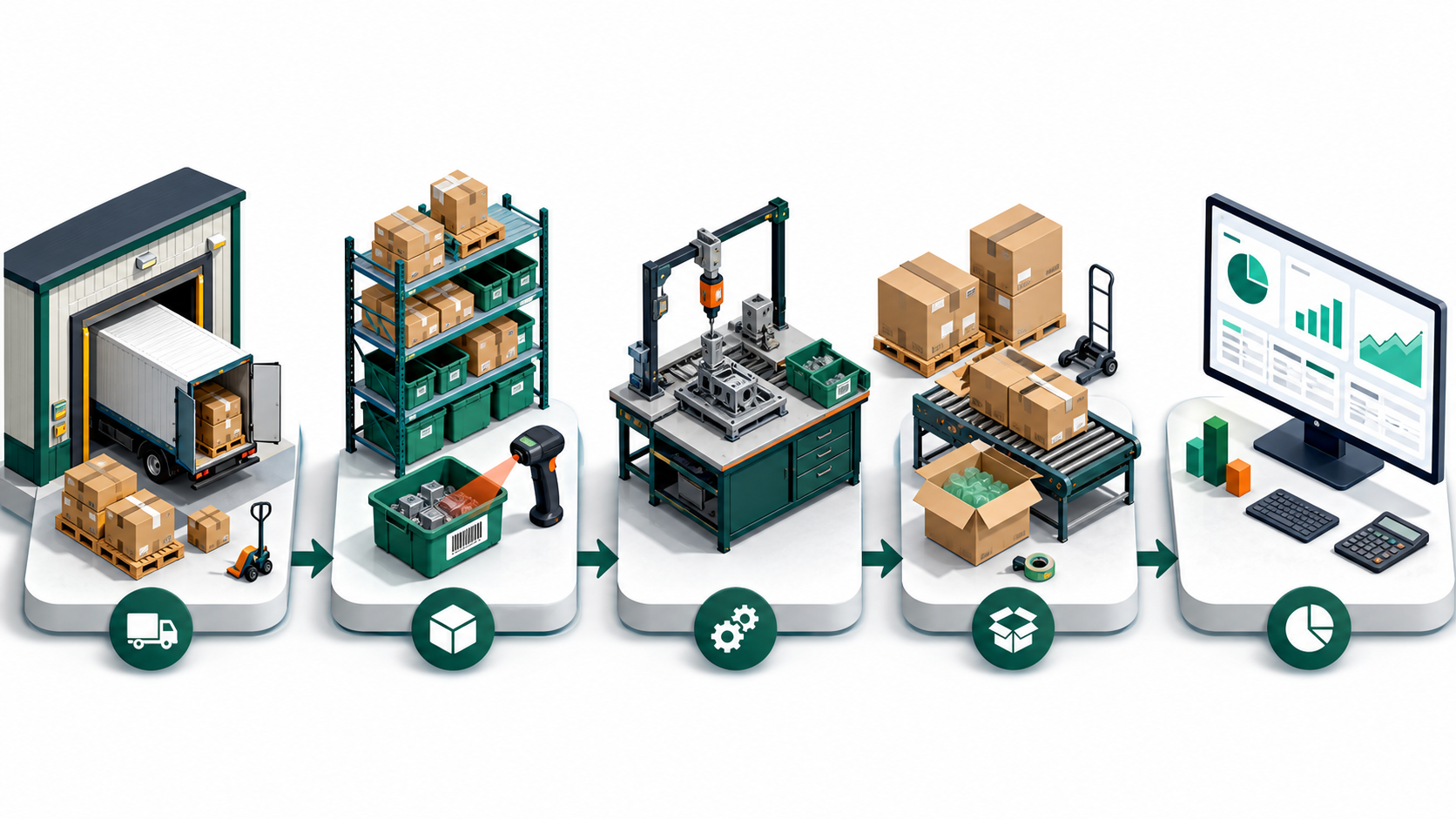
Five QuickBooks manufacturing workflows to test
1. Purchase-to-receipt
Start with a real purchase order. Test partial receipts, backorders, freight, supplier price changes, damaged goods, and the difference between quantity ordered, received, billed, and available. Confirm how the system affects inventory value and accounts payable at each step. If landed cost matters, verify whether it is included in the selected product and plan rather than assuming every inventory edition supports it.
2. Components-to-finished-goods
Create a representative assembly with raw materials, packaging, subassemblies, expected waste, and labor or overhead requirements. Build a partial quantity and check what happens when one component is short. QuickBooks Desktop Enterprise documents assembly and manufacturing-oriented workflows, but a business that needs routings, work centers, capacity planning, engineering changes, or full work-in-process accounting should test a manufacturing ERP or add-on as well.
3. Quote-to-cash and fulfillment
Run a customer estimate or sales order through picking, packing, partial shipment, invoicing, payment, return, and credit. Confirm whether warehouse staff can see the information they need without being given unnecessary accounting access. Test price levels, customer-specific pricing, sales-tax handling, and the reports used to find unfilled orders. A visually attractive dashboard is not a substitute for a complete exception workflow.
4. Inventory control and reconciliation
Test an inventory count, adjustment, negative quantity, obsolete stock write-down, transfer, and returned item. Compare the inventory valuation report with the general ledger after each test. If the company uses multiple sites, bins, barcode scanners, serial numbers, or lot numbers, verify the exact Enterprise plan and add-on requirements on Intuit’s current pages. Do not rely on a generic “advanced inventory included” claim.
5. Management reporting
Build the reports that actually run the operation: gross margin by item or customer, open purchase orders, open sales orders, inventory valuation, slow-moving items, shortage exposure, build history, and profitability. Compare totals with a known period. Export to Excel if that is part of the monthly close, and confirm that the installed Microsoft Office version is supported. The accounting team should approve report accuracy before the old system is retired.
For a broader product-selection framework, compare the site’s desktop accounting software buyer’s guide and the QuickBooks Pro 2019 support and upgrade guide. Those guides should supplement—not replace—current publisher documentation.
QuickBooks manufacturing compatibility is more than “runs on Windows”
Intuit’s QuickBooks Desktop 2024 system-requirements page specifies supported 64-bit Windows environments, processor, memory, disk, display, browser, Microsoft Office, database-server, and network requirements. Requirements can change by release and product. Compare every workstation and server with the current page, especially if the company uses Windows Server, hosted access, remote desktops, older Office integrations, or an ARM-based computer.
List every connected service separately: payroll, bank feeds, payments, credit-card processing, shipping, e-commerce, tax calculation, barcode hardware, remote hosting, cloud backup, document capture, and third-party inventory tools. A core program can open while a service is unavailable because the version is unsupported, the plan does not include it, or the integration vendor has ended compatibility.
- Workstations: supported Windows edition and architecture, processor, RAM, storage, display, and permissions.
- Server and network: supported server OS, database manager, wired-network performance, firewall rules, user permissions, and backup schedule.
- User count: simultaneous users are not the same as named staff members. Confirm the licensed concurrency and edition limit.
- Microsoft Office: check supported Office versions and whether 32-bit or 64-bit integration is required.
- Connected features: confirm subscription, service availability, region, fees, and end dates independently.
- Support ownership: establish whether Intuit, the seller, the hosting provider, or the integration vendor handles each failure type.
Protect the file before a QuickBooks manufacturing edition change
Opening a company file in a newer QuickBooks Desktop version can update the file. Treat that as a controlled production migration, not a casual installation. A converted file is not something to test without a preserved rollback copy. In a multi-user company, schedule a cutoff time and require all users to sign out before the administrator creates the final backup.
- Inventory the current environment. Record the exact QuickBooks product, year, release, license information, Windows version, company-file path, user list, custom templates, payroll folders, memorized reports, attached documents, and integrations.
- Reconcile before migration. Finish bank and credit-card reconciliations, review undeposited funds, compare inventory valuation to the balance sheet, and save key financial reports for later comparison.
- Create a verified QuickBooks backup. Use the built-in backup process and complete data verification. Resolve reported file damage before attempting an upgrade.
- Make an independent second copy. Store it on another encrypted device or approved backup service. Keeping two files on the same failing disk is not redundancy.
- Test with a copy. Install the intended product in a non-production environment and update a duplicate company file. Never use the only live file for the first conversion attempt.
- Validate workflows and totals. Compare trial balance, balance sheet, profit and loss, accounts receivable, accounts payable, inventory quantities and valuation, open orders, assemblies, users, and custom reports.
- Test integrations and services. Verify payroll, bank feeds, payments, email, Excel export, scanners, shipping, e-commerce, and third-party tools with non-destructive test data.
- Approve the cutover. Have the bookkeeper, operations owner, accountant, and IT provider sign off. Preserve the old software environment and backup until at least one full close is completed successfully.
The site’s guide to updating QuickBooks Desktop can help with maintenance-release planning. For product discovery, use the Accounting Software category, but verify every listing against current Intuit terms before using it in production.
Who a QuickBooks manufacturing workflow is for
Potentially a fit
- A Windows-based team that wants a locally managed company file.
- A wholesaler that needs purchasing, sales orders, inventory, and fulfillment in one accounting system.
- A light manufacturer whose assembly workflow fits the documented Desktop Enterprise capabilities.
- A business with an accountant, IT owner, tested backups, and a planned support path.
Probably not a fit without another system
- A cloud-first distributed team that needs simple browser and mobile collaboration.
- A plant that requires MRP, routings, capacity planning, quality control, or shop-floor execution.
- A regulated operation that needs specialized traceability or compliance controls.
- A buyer who cannot verify account ownership, entitlement, renewal, support, or connected services.
Review a QuickBooks manufacturing listing after the entitlement check
The store currently has several QuickBooks Desktop Premier and Enterprise listings. They can be used as comparison points, but their titles and marketing language are not substitutes for publisher documentation. Before payment, request a written answer to each of these questions:
- What exact Intuit product, year, edition, and number of simultaneous users will the buyer receive?
- Is the entitlement a subscription, renewal, account membership, transfer, or another arrangement?
- Whose Intuit account will own and administer the product after purchase?
- Can the buyer register it directly with Intuit, and is the buyer eligible for Intuit support?
- Which payroll, bank-feed, payment, backup, update, and integration services are included or excluded?
- What happens after a reinstall, hardware replacement, account challenge, subscription end, or failed activation?
- What written refund or replacement remedy applies if the delivered entitlement differs from the listing?
Compare the Premier and Enterprise listing details
These links are provided for listing review, not as confirmation of license validity, Intuit authorization, a lifetime entitlement, official Manufacturing & Wholesale features, or support eligibility. Compare the written offer with Intuit’s current sales and licensing guidance before payment.
QuickBooks manufacturing buyer questions
Does every QuickBooks Desktop Premier Plus 2024 listing include Manufacturing & Wholesale?
No assumption should be made from the words “Premier Plus” alone. Older Premier releases had industry-specific editions, but a current third-party listing must identify the exact product and entitlement. Intuit’s current public Manufacturing & Wholesale solution is documented under QuickBooks Desktop Enterprise. Ask for written proof of the edition, subscription, account ownership, user count, registration, and service rights.
Can a new US customer buy QuickBooks Desktop Pro Plus or Premier Plus directly from Intuit?
Intuit states that new US sales of Desktop Pro Plus, Premier Plus, Mac Plus, and Enhanced Payroll stopped after September 30, 2024. Existing subscribers may continue to renew. QuickBooks Desktop Enterprise remains the Desktop product Intuit offers to new customers. Check the latest Intuit page because availability and terms can change.
Is QuickBooks Desktop Enterprise a full manufacturing ERP?
Not necessarily. Enterprise Manufacturing & Wholesale documents useful accounting and inventory workflows, but a plant that needs material requirements planning, routings, production scheduling, capacity, quality, maintenance, or detailed shop-floor control may need a specialized ERP or a verified integration. Test the full process with realistic data before committing.
How many users should a wholesale company buy?
Count simultaneous users by role and time of day, not total employees. Include accounting, purchasing, sales, warehouse, management, and external accountant access. Then compare the result with Intuit’s current product and plan limits. Do not assume a “three-user” listing can legally or technically serve five people who overlap.
Can an older Premier company file move to Enterprise?
Intuit provides upgrade paths for QuickBooks Desktop company files, but conversion should be tested on a verified copy. Validate balances, inventory, assemblies, open orders, templates, users, and integrations. Preserve the old environment and pre-conversion backup until the business completes a successful close in the new system.
What is the most important check before buying from a third party?
Verify exactly what the buyer will own and control after purchase. The product name, entitlement term, Intuit account owner, subscription or renewal status, registration eligibility, user count, connected services, support path, reinstall rights, and refund remedy should be documented. A low price or successful key entry does not answer those questions.
QuickBooks manufacturing decision recap
Use this QuickBooks manufacturing checklist to verify the edition, inventory workflow, user count and migration plan.
A safe QuickBooks manufacturing decision depends on documented licensing and realistic process testing.